Session Shelf for Ableton Live · public beta
Never forget
an old Ableton
project again.
Session Shelf reads every Live set in your folders, without opening Live. Versions, bounces, plugins and notes for every song, in one place.
Free while in beta · macOS 12+ · Apple Silicon & Intel · Verified with Live 12
Seven minutes to open a project.
Just to check the BPM.
Three Macs, a Dropbox full of Save-As forks called "Favela v2?" and "deletedstuff3", and a bounce folder that gets overwritten every time. I used Splice Studio back in the day and loved it. Nothing ever replaced it, so I built my own.
01
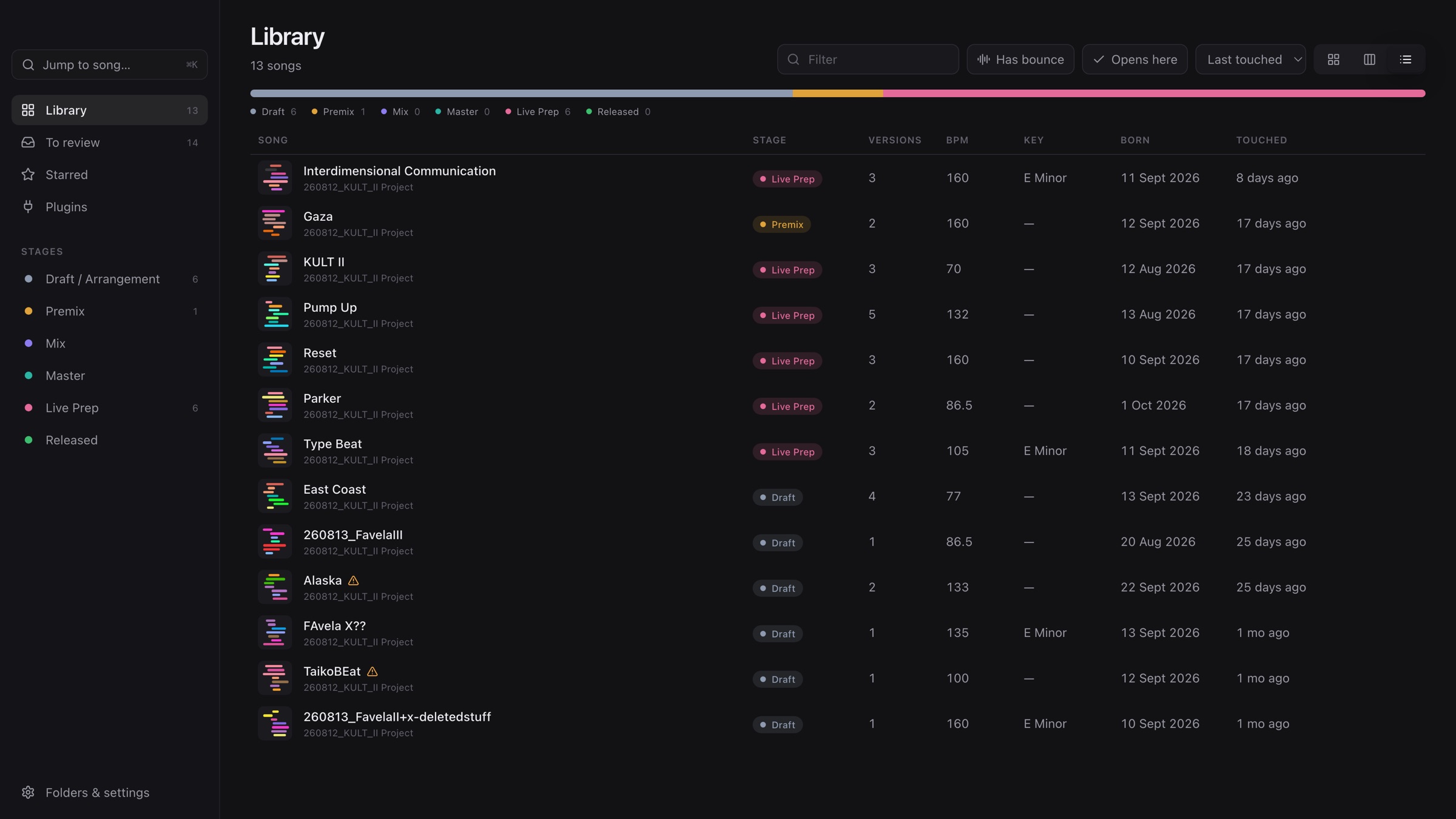
Every card is a song, not a file.
Point it at your projects folder. It reads every set: tempo, key, tracks, colors, clips, plugins and samples. Each song gets a cover drawn from its real track colors, so you recognize it at a glance. The seven-minute question, answered in a second.
- Reads only. It never touches a project file.
- Live's own backups become your version history.
- "Opens here" shows only songs whose plugins this Mac has.
02
Same name. Different tracks.
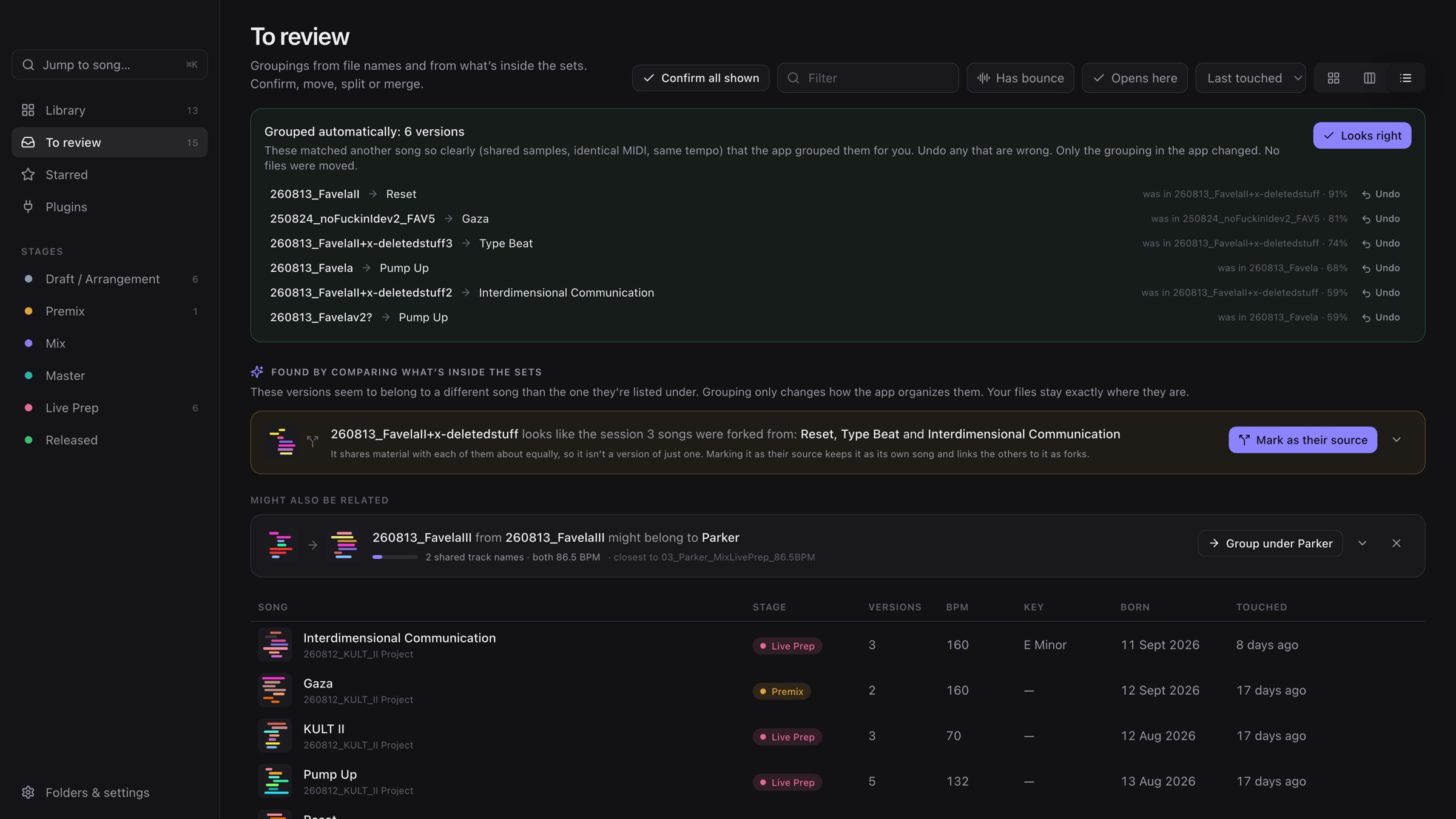
You mute half a project, solo something, and suddenly it's a whole new track. Save As, same name. Session Shelf doesn't go by names: it compares what's inside, like shared samples, identical MIDI clips and tempo, and groups versions into the songs they really belong to.
- Sure matches are grouped automatically, with the reason shown.
- One click to undo. Unsure ones, it asks you about.
- Only the grouping in the app changes. No files move.
03
Every version, every backup, one line each.
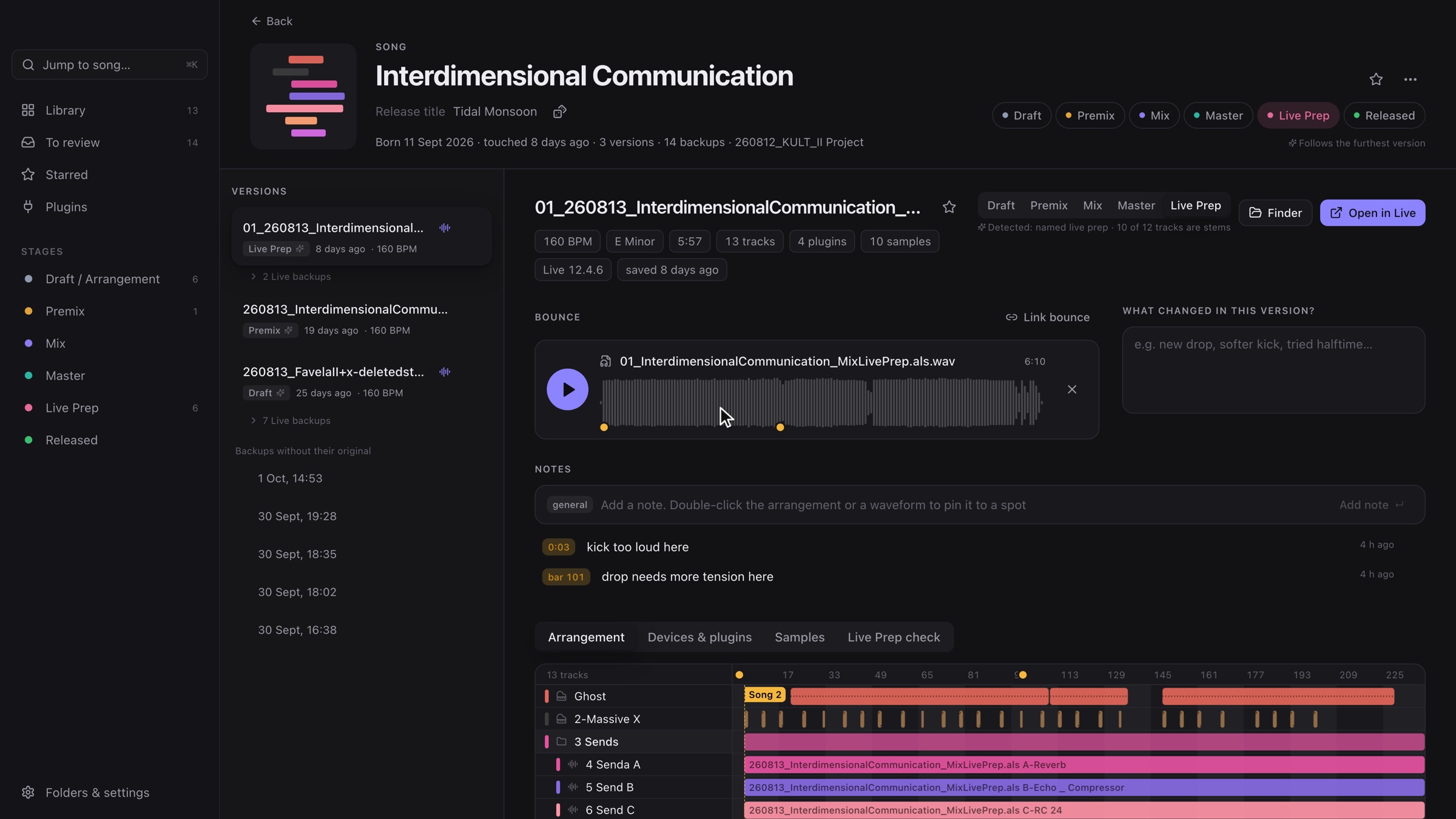
A song page shows its whole history: the live-prep version, the draft it came from, the very first idea, and every save Live ever made. Leave one line per version, like "softer kick, tried halftime", and tomorrow-you knows what yesterday-you was thinking.
- One click opens that exact version in Live.
- A separate release title, plus a dice for when you hate naming tracks.
- Stages detected from the set itself: draft, premix, mix, master, live prep.
04
A/B with fresh ears.
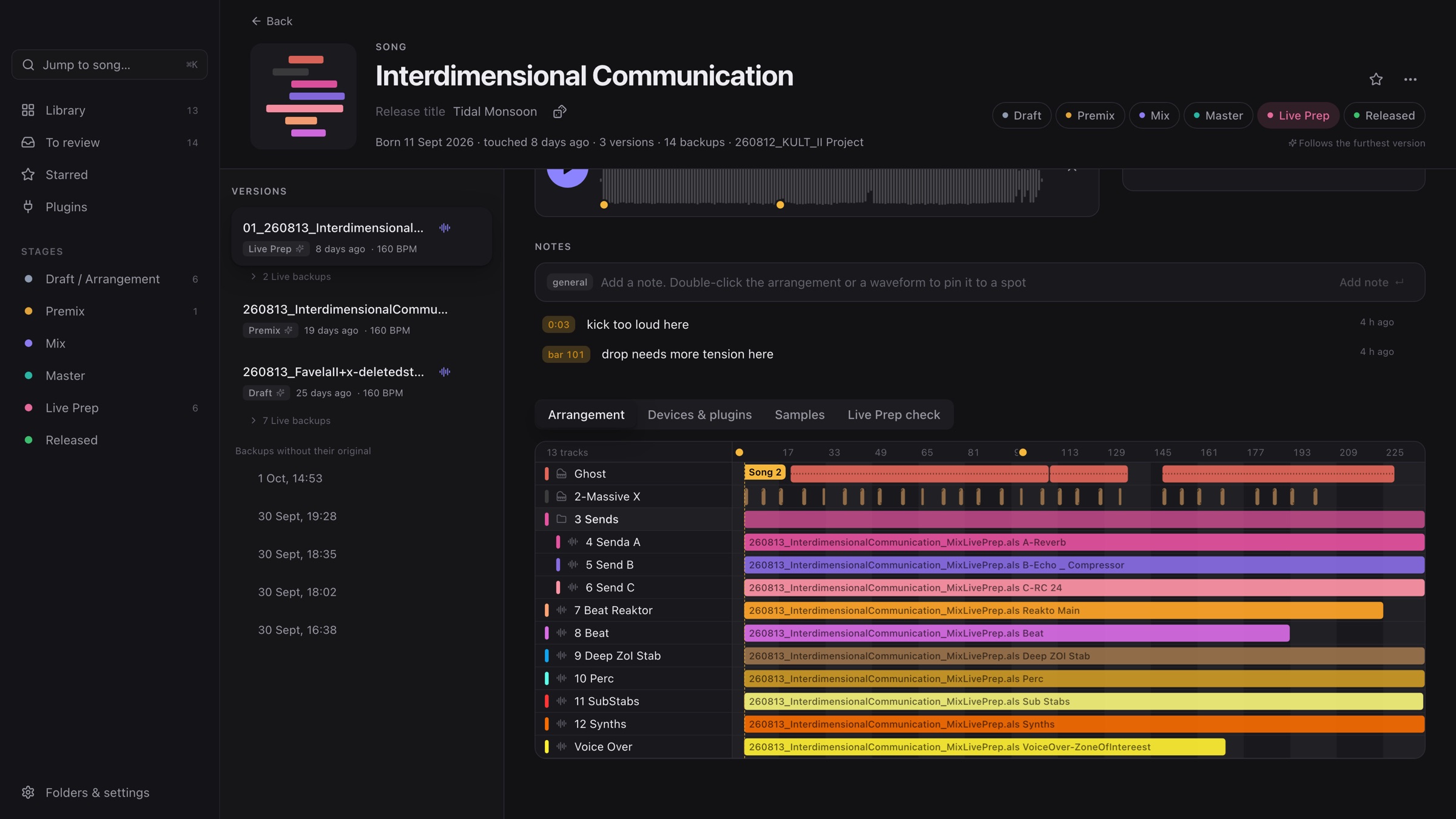
Four hours on one loop and your brain goes into fight-or-flight. Next morning: is this actually better? Every bounce stays linked to its version, and the arrangement follows along in the real Live colors while it plays. Compare today against the first draft instead of overwriting the only copy you had.
- Finds bounces in your project folder for you.
- Press N while listening: a note pinned to that second.
- Double-click the arrangement: a note pinned to that bar, no bounce needed.
05
Which Mac has my plugins?
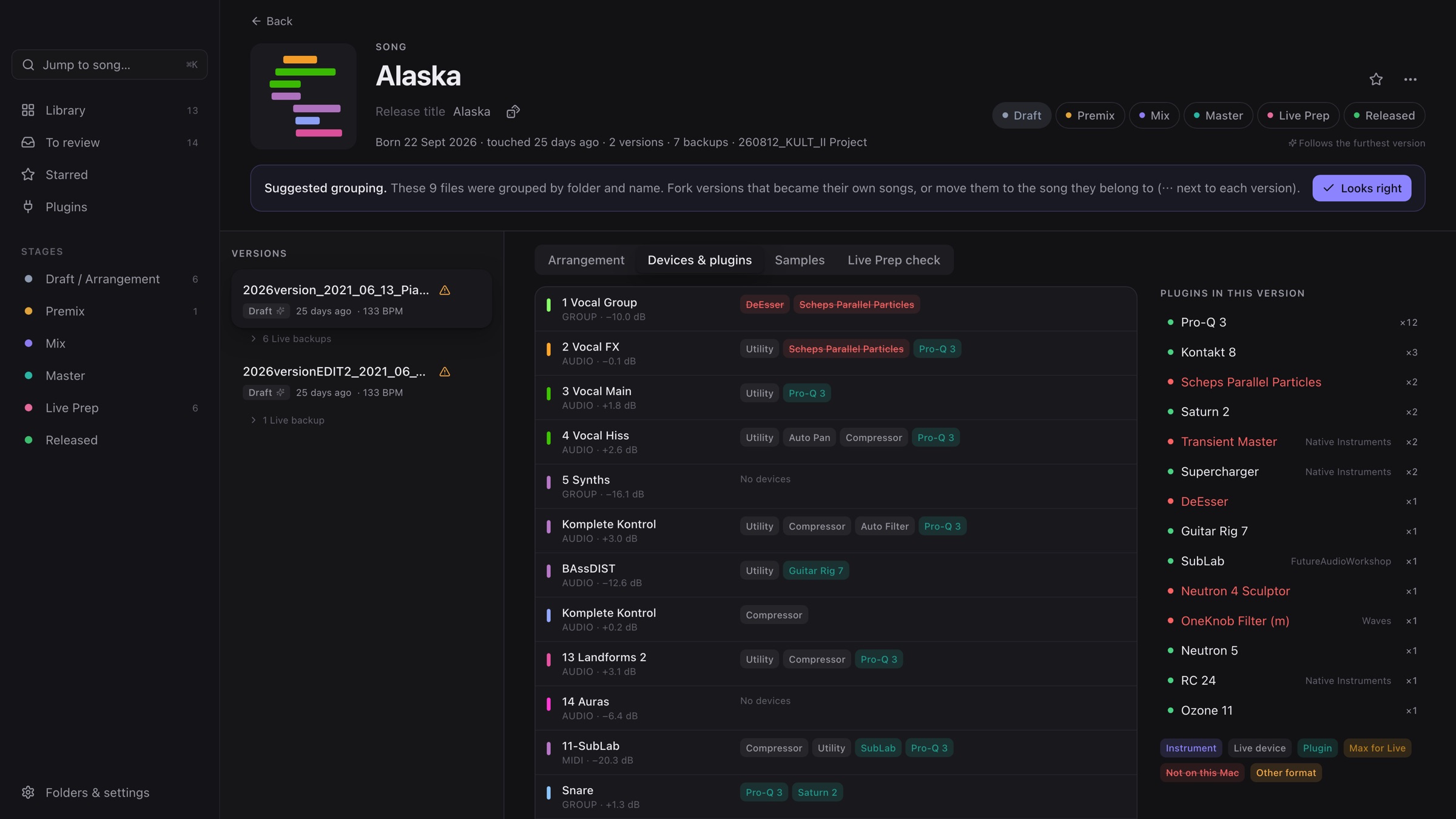
Old laptop with all the Intel plugins, new one with almost none, one Dropbox. Every track's devices and plugins are listed, and anything missing on this Mac is red. Import plugin lists from your other Macs to see where a project will open, or what to bounce to audio first.
- Spots when a newer version of a plugin is installed.
- One Terminal command exports another Mac's list.
06
Everything you own, in one list.
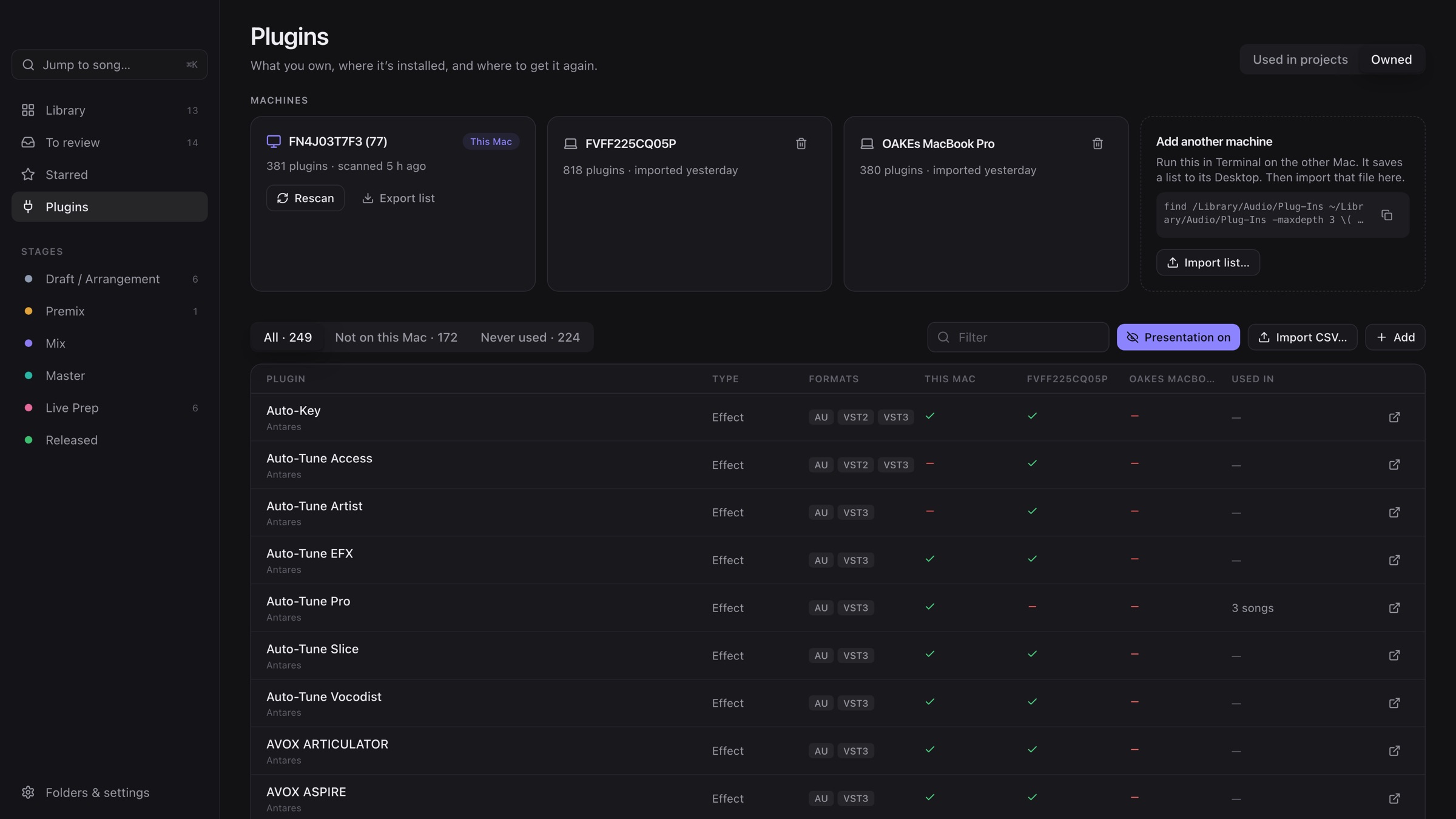
Import your purchases as a CSV and see, per plugin, where it's installed and how many songs use it. Keep license keys, the account you bought it with, and install notes like "needs iLok" right next to it.
- Filters for "not on this Mac" (your next install list) and "never used".
- Presentation mode hides keys and e-mails while you screen-record.
07
Ready for the stage?
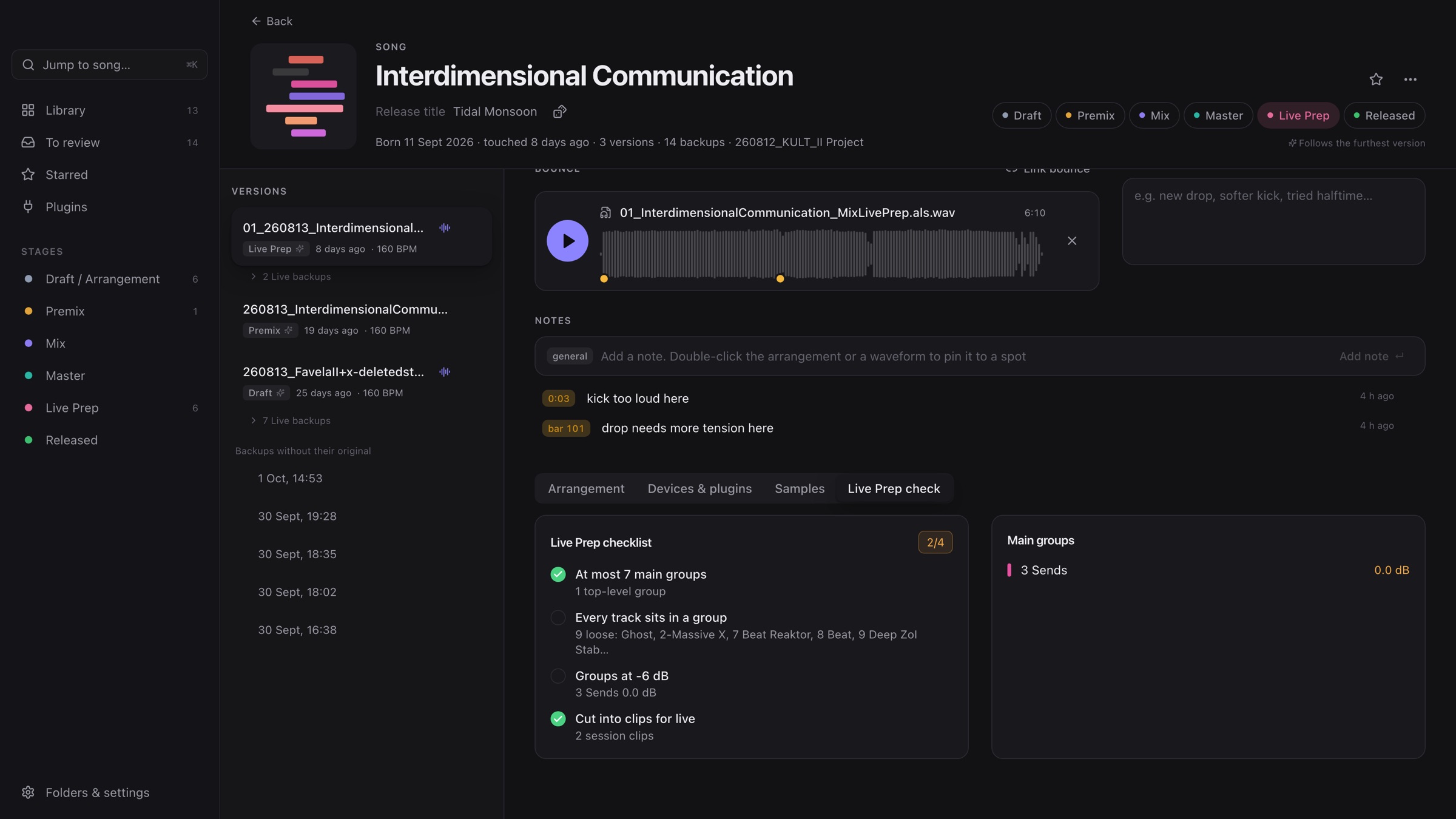
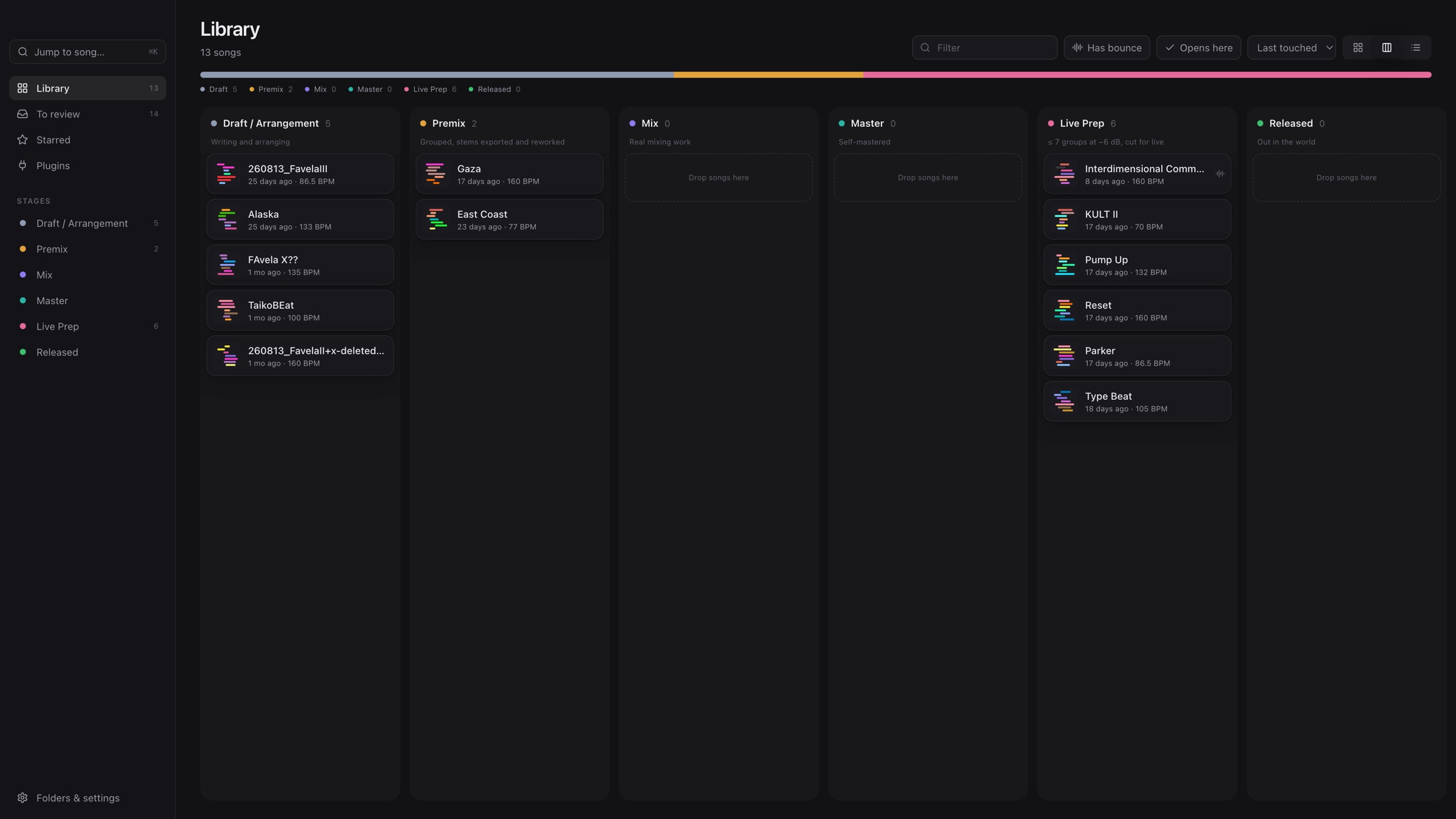
Got rules for your live sets? Session Shelf checks them straight from the set: at most seven main groups, groups at −6 dB, everything cut into clips. No more opening a project just to check faders.
08
Your release at a glance.
A board by stage shows what you're working on, what's next and where to focus. Drag a song when it moves on. It works best with a stage-per-set flow, but you can bend it to yours.
- Draft write and arrange, fork freely
- Premix group into buses, export stems
- Mix new set on the stems
- Master optional, just to hear where it could go
- Live Prep buses at −6 dB, cut into clips
- Released out in the world
See it in action
A ten-minute walkthrough on a real release: twelve tracks, three Macs, a hundred badly named files.
Get Session Shelf
Free while it's in beta. Enter your beta key to download. Don't have one? Join the list below and I'll send you one.
- macOS 12 or later · Apple Silicon and Intel
- Signed and notarized by Apple · updates itself
- Verified with Ableton Live 12 projects. Sets from Live 11 or older aren't verified yet and may not show everything.
- Reads your projects, never changes them. Your library stays on your Mac.
It's a beta: expect rough edges. The app has a Feedback button. Bugs and ideas go straight to me.
Stay in the loop
Beta keys, new versions and the occasional behind-the-scenes. No spam, unsubscribe any time.
You'll get a confirmation e-mail first. Details in the privacy policy.
Questions
Does it change my Ableton projects?
No. It only reads .als files and never writes to them. Grouping, notes, stages and links live in the app's own library on your Mac.
Which Live versions does it support?
It's verified with projects from Ableton Live 12. Older sets usually open fine, but they're not verified yet, so some details might be missing. Please send feedback if something looks off.
Windows?
Mac only for now. It relies on macOS for audio conversion, file search and the plugin scan.
What does it cost?
Nothing during the beta. What happens after is still open. Beta testers will be the first to know.
Where is my data?
On your Mac. Nothing is uploaded, except when you send feedback, and then only what you write plus the app version, if you tick that box.
Is it made by Ableton?
No. Session Shelf is an independent app by Eric Oake and isn't affiliated with Ableton.